Google Business Profile + Local SEO Playbook for Australian Tradies and Service Businesses
Learn how Australian tradies and service businesses can turn Google Business Profile and local SEO into a steady flow of qualified local jobs instead of relying only on word of mouth.
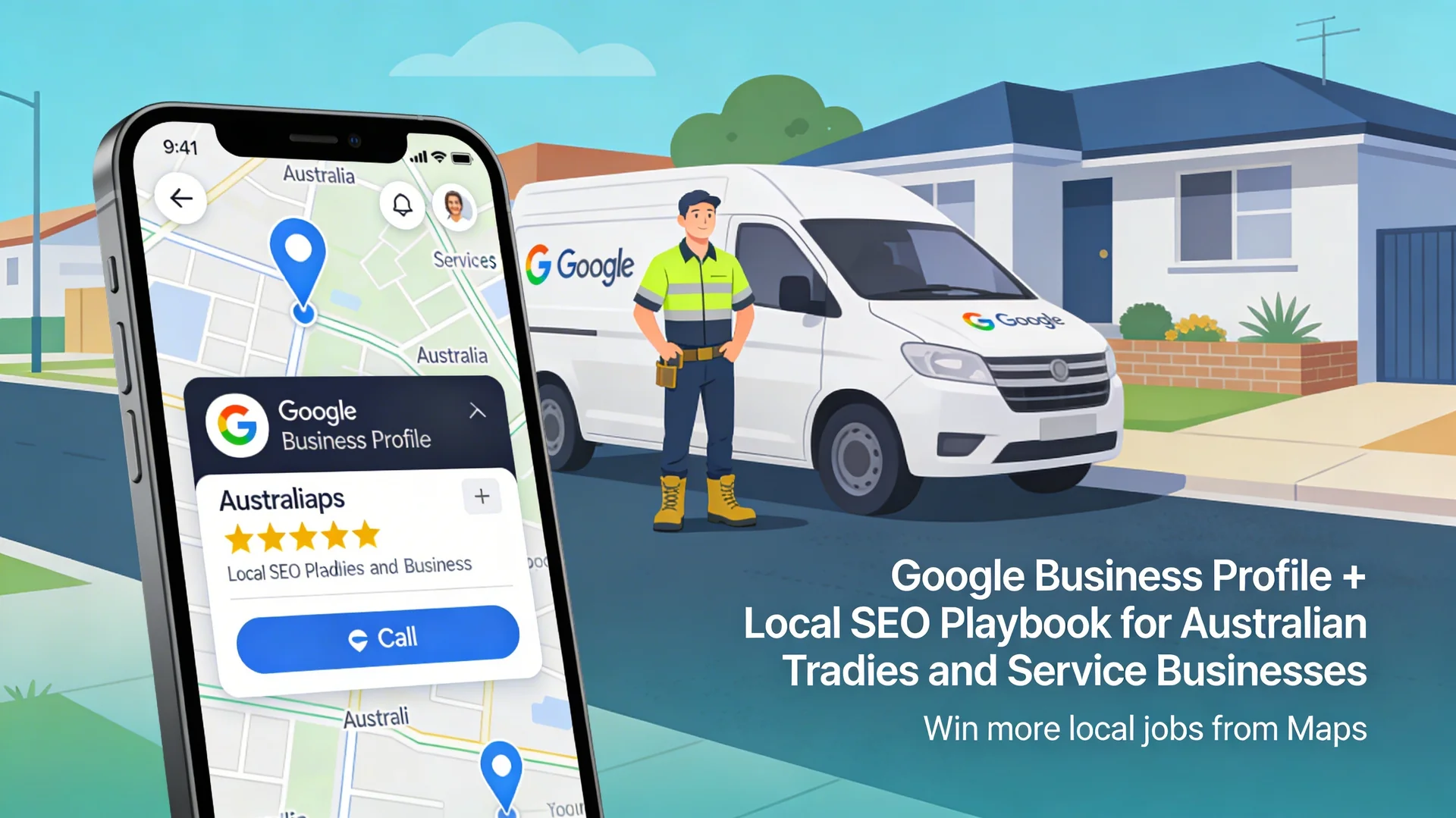
Most tradies and local service businesses in Australia now get their first contact from a Google Maps search, not from their homepage. If your Google Business Profile is weak, you are invisible when someone nearby searches “plumber near me” or “electrician in Gawler”.
Showing up in the top three map results is like having a billboard at the top of every “near me” search. Those listings sit above the normal websites and, on mobile, the big “Call” button makes it easier for people to ring you than to scroll down and tap a standard website result.
In this playbook we walk through how Australian tradies and service businesses can turn Google Business Profile and local SEO into a reliable source of local jobs, without needing a full website rebuild or big ad budget. We also show where your website still matters and how to connect everything so you can see which calls and enquiries come from Maps.
Why Your Google Business Profile Often Beats Your Homepage
When someone searches “emergency plumber near me”, Google usually shows a maps box with three local results at the top of the page before normal website results. Those three spots often get the first calls, especially on mobile.
For most local service searches, Google uses three main ideas to decide who shows up in that map pack:
- Relevance: how closely your profile matches what the person searched, including categories, services, and description.
- Distance: how close your listed address or service area is to the searcher.
- Prominence: how well known and trusted your business looks based on reviews, citations, and other online signals.
That means you can have the nicest website in your area and still lose calls if your Google Business Profile is half complete, has few reviews, or sends mixed signals about where you work.
When your homepage still matters
Your homepage still plays an important support role:
- It confirms details like services, suburbs, and opening hours, which feeds into relevance and trust.
- It converts warmer visitors who click through from Maps into quote requests and bookings.
- It carries local content and schema markup that help Google connect your site and profile.
But if you are a tradie or local service operator, your first priority should be to make your Google Business Profile complete, accurate, and active.
The Foundations: Do Not Let Sloppy Admin Kill Your Leads
Before chasing tricks, you need clean foundations on both Google Business Profile and your website. This is the boring admin work that quietly makes the phone ring.
1. Accurate NAP and contact detail consistency
NAP stands for Name, Address, Phone. Google expects your business details to match across your profile, website, and main directories.
For Australian tradies and service businesses:
- Use the same business name format everywhere, including abbreviations and trading names.
- Make sure address lines, suburb, state, and postcode match your official address.
- Use one primary phone number and keep it consistent across your website, Google Business Profile, and major listings.
Even small differences like “Unit 1/10 Smith St” versus “1/10 Smith Street” across the web can weaken your local signals. For service area businesses without a shopfront, hide your exact address in Google Business Profile if needed, but keep the back-end address and your legal details consistent.
Tradie Tip: If you are a service-area business working out of your van, do not use a PO Box or a virtual office address to try and trick Google into thinking you have a shopfront in the CBD. The system is smart enough in 2026 to spot this and you risk a suspension. Use your real home base and define your service radius accurately.
2. Correct categories and services
Your primary category is one of the strongest relevance signals for Google Maps. If you are a plumber, “Plumber” should be the primary category, not “Contractor” or “Home services”.
Tips:
- Pick the most specific primary category that matches your core work.
- Add secondary categories for key services, like “Drainage service” or “Hot water system supplier” where relevant.
- Use the services section to list specific jobs you want to rank for, like “Blocked drain repair”, “Emergency electrician”, or “Roof leak detection”.
This helps you appear for more detailed searches where people are close to hiring.
3. Service areas and hours
For mobile tradies and service businesses, you can set a service area instead of showing your street address. This is useful if you work from home or cover multiple suburbs.
Good practice:
- Set realistic service areas where you want jobs and can respond quickly.
- Avoid ticking every suburb in the state, which looks messy and rarely helps with rankings.
- Keep business hours accurate and update them for public holidays or seasonal changes.
Accurate hours also stop people calling when you are closed, which saves both sides frustration.
4. Basic on-page optimisation on your website
Even simple sites can give strong local signals if set up correctly.
At a minimum:
- Give each main service page a clear title like “Emergency Electrician in Gawler” instead of “Services”.
- Mention your main service areas in headings and copy in a natural way, such as “serving Gawler, Barossa, and northern Adelaide suburbs”.
- Create separate pages for major services (for example, “Blocked Drains”, “Hot Water Repairs”) so that you can link to them from Google Business Profile and rank for specific phrases.
- Add your business name, address, and phone in the footer to reinforce NAP consistency.
Where possible, implement LocalBusiness schema that mirrors your Google Business Profile details. This structured data makes it easier for Google to connect your website and profile.
The Power Plays: How to Jump the Queue
Once your foundations are in place, you can focus on the high-impact moves that help you leapfrog other tradies in the map pack.
1. Review generation: steady flow beats sudden spikes
Review volume, rating, and freshness are strong signals for local rankings and conversion. People are more likely to call the business with more recent reviews and a clear pattern of happy customers.
A simple review system for tradies and service businesses:
- Ask after every completed job, especially when the client is clearly happy.
- Send a direct link to your Google Business Profile review form by SMS or email instead of asking people to “find us on Google”.
- Give clients a short script to make it easier, such as “a sentence on what we did and the suburb is perfect”.
Avoid obvious review swaps or paying for reviews. Fake patterns are easy to spot and can lead to filtered reviews or penalties. Aim for a natural, steady trickle of reviews each month.
2. Respond to every review
Responding to reviews shows that you are active and that you care about your customers. It can also help future customers feel more confident when they call you.
- Thank people by name where appropriate and mention the type of job.
- For negative reviews, stay calm, explain what you did to fix the issue, and invite the person to contact you directly.
- Never argue in public, even if the review feels unfair.
Over time, this builds a visible track record of how you handle work and problems.
3. Photo and video updates
Profiles with regular photo updates tend to get more views and interactions. For tradies and service businesses, photos are proof that you do the work you claim.
Ideas:
- Before and after photos of completed jobs with locations kept general, such as “bathroom renovation in Evanston”.
- Team shots and vehicles to make your business feel real and local.
- Short clips showing your process or walking through a finished job.
Make sure images are clear and upright, and avoid adding heavy text or logos over everything. People want to see real work, not just graphics.
4. Q&A seeding with helpful answers
The Questions and Answers section of Google Business Profile is often underused but can help both rankings and conversions.
You can:
- Add common questions you hear from customers, such as “Do you offer after hours emergency call-outs?” or “Which suburbs do you cover?”.
- Answer them with clear, honest responses that also include natural service and location terms.
This turns your profile into a mini FAQ that saves time for both you and your future customers.
5. Posting offers and updates
Regular posts tell both users and algorithms that your business is active.
Good post topics for Australian tradies and service businesses:
- Seasonal offers, such as “Pre-wet season roof inspection special in northern suburbs”.
- Safety reminders and maintenance tips.
- Project highlights with a short description and a link to a relevant page on your site.
Keep posts short, useful, and in plain language. Add a call-to-action button like “Call now” or “Learn more” that links back to your site where it makes sense.
Dealing with Spammy Competitors on Maps
Many tradies and service businesses see competitors doing the wrong thing on Maps, like fake locations, keyword-stuffed names, or fake reviews. You cannot control others, but you can protect your listing and push back on obvious abuse.
Common spam tactics
- Stuffed business names filled with keywords rather than a real trading name.
- Fake addresses that are empty lots, co-working spaces, or unrelated businesses.
- Multiple listings for the same company in nearby suburbs.
- Suspicious review patterns, such as many generic five-star reviews in a short time.
These patterns can push legitimate operators down the map pack, especially in competitive trades.
How to fight spam without losing focus
If you see clear spam:
- Use the “Suggest an edit” option to correct fake names or addresses where it is obvious.
- For more serious issues like fake locations or misleading listings, use the official complaint form and include clear evidence.
- Report fake or abusive reviews that break the review rules.
At the same time, do not let spam consume all your energy. The best defence is still a strong, active profile with real reviews, consistent NAP, and a connected website.
Linking Google Business Profile to Your Website
Your profile and website should work together as one system, not as separate assets. When you link them properly, you get better local signals and can see which visits and calls come from Maps.
1. Use optimised service pages as your primary link
Instead of pointing Google Business Profile straight to your homepage, consider linking to the page that best matches your main service for local search.
For example:
- Electrician: link to an “Emergency Electrician Gawler” page.
- Plumber: link to a “Blocked Drains in Northern Adelaide” page.
- Pest control: link to a “Termite inspections Gawler and Barossa” page.
These focused pages can then carry local copy, trust signals, and clear calls to action that match what the searcher wants.
2. Add UTM tags to track Google Business Profile traffic
By adding simple UTM tags to your website URL, you can see Google Business Profile visits separately inside your analytics tools.
A simple pattern might look like:
?utm_source=google&utm_medium=organic&utm_campaign=gbp
Put this tagged URL in the main “Website” field of your Google Business Profile. This lets you measure:
- How many users and sessions come from your profile.
- How many of them complete actions like form submissions or click-to-call.
- Which devices or times of day perform best.
If you use the separate “Appointments” link to send people to an online booking page, use a slightly different tag, such as:
?utm_source=google&utm_medium=organic&utm_campaign=gbp&utm_content=appointment_link
That way you can see which call-to-action brings more real bookings: your main site link or your booking link.
3. Track calls and form enquiries from profile clicks
For call tracking, you have two options:
- Use your main number in Google Business Profile to keep NAP consistent and rely on call reporting inside the platform and your phone records.
- Use a call tracking solution that shows a tracking number on the website only, while keeping the core NAP number in your profile and schema consistent.
For forms:
- Add an extra hidden field or tag in your CRM or form system to record that the user came from a Google Business Profile tagged URL.
- Set up goals or conversions in your analytics tool for “quote request submitted”, “booking completed”, or similar events.
This gives you a clear view of how many jobs and how much revenue you are getting from Maps, not just clicks and views.
4. Use Insights to refine your content
Google Business Profile includes Insights that show how people find and interact with your listing.
Useful metrics to check:
- Top search terms used to discover your business.
- Number of calls, website visits, and direction requests.
- Areas where people are requesting directions from.
You can use these to:
- Create or refine service pages that match real search terms, such as “after hours electrician Gawler”.
- Add suburb names to your website copy where you see strong demand.
- Decide whether to highlight certain services more prominently.
Over time, this turns your profile into a feedback loop for your website content and your broader local SEO strategy.
One-Month Action Plan for an Australian Tradie
Here is a simple example of how a small electrical business in Gawler might roll out this playbook over four weeks. Think of it as a job schedule for your local visibility.
Week 1: Foundations
- Claim and verify your Google Business Profile, or audit your existing listing for correct NAP, categories, service areas, and hours.
- Clean up the website homepage and main service pages with clear titles, headings, and local copy.
- Add LocalBusiness schema with matching details.
Week 2: Reviews and media
- Create a simple review request process after every completed job.
- Send review requests to recent happy clients with a direct link.
- Add 10 to 20 high-quality photos of real work, team, and vehicles.
Week 3: Content and Q&A
- Seed 5 to 10 common questions in the Google Business Profile Q&A and answer them clearly.
- Publish one new service page on the website that targets a high-intent local keyword based on what people already ask you for.
- Start weekly posts on your profile highlighting recent jobs or seasonal tips.
Week 4: Tracking and optimisation
- Add UTM tags to the Google Business Profile website link and set up goals in analytics for calls and form submissions.
- If you use the Appointments link, tag it separately and compare which one leads to more bookings.
- Review Insights and analytics side by side to see where your best leads are coming from.
- Identify obvious spam listings in your category and report the worst offenders while staying focused on improving your own presence.
This is enough to move most legitimate tradies and service businesses into a stronger position within a few months, especially in suburbs that are not already dominated by large franchises.
Local SEO Priorities for Australian Tradies and Service Businesses
The table below summarises what to focus on if you run a small to mid-sized service business in Australia.
| Priority area | Why it matters for local jobs | Practical actions for tradies |
|---|---|---|
| Google Business Profile setup | Directly affects whether you show in the map pack for “near me” searches and how many people tap the “Call” button. | Verify your listing, set correct categories, define service areas, and keep hours and contact details accurate. |
| NAP and citation consistency | Helps search engines trust that your business is real and local, which supports stronger rankings. | Align name, address, phone across website, profile, and major directories, fix obvious mismatches. |
| Reviews and ratings | Strong signal for trust and also drives conversions when people compare similar options. | Ask every happy customer for a review, respond to each review, and avoid shortcuts like fake reviews. |
| Photos, posts, and Q&A | Show your business is active, local, and doing real work, which boosts engagement. | Upload new photos monthly, post short updates, and seed helpful Q&A entries with clear answers. |
| Service pages and schema | Connects Google Business Profile and your site so systems understand what you do and where. | Build focused service pages with local copy, add LocalBusiness schema, and link from your profile to your strongest page. |
| Tracking and Insights | Lets you see which local actions drive real enquiries and jobs instead of guessing. | Add UTM tags, set up goals in analytics, review Insights monthly, and adjust content based on real search terms. |
Book Your Local Visibility Audit for Australian Service Businesses
If you are an Australian tradie or service business owner and you are not sure why your phone is quiet while competitors keep popping up in the map pack, it is time to stop guessing.
Hrishi Digital offers a Local Visibility Audit for Australian Service Businesses that reviews your Google Business Profile, website, and local SEO in one simple session.
What we cover:
- Profile health check: NAP, categories, service areas, reviews, and engagement.
- Website and schema review: how well your site supports your profile and local rankings.
- Lead and tracking review: where calls and enquiries are really coming from, and which gaps are costing you jobs.
You will receive a clear, prioritised action list showing what to fix first in the next 30 to 60 days, using your existing site and profile as the base.
Use our contact form or booking link to request your Local Visibility Audit, tell us your trade and service areas, and we will confirm a time that suits your schedule.
Hrishi Digital Solutions
Expert digital solutions provider helping Australian service businesses turn local search visibility into real booked jobs.
Contact Us →