Cursor AI January 2026 Updates: New CLI Features and Bugbot Improvements for Developers
Discover Cursor AI's latest January 2026 features including CLI Plan and Ask modes, Bugbot Autofix Beta, and Agent Mode improvements for faster development.
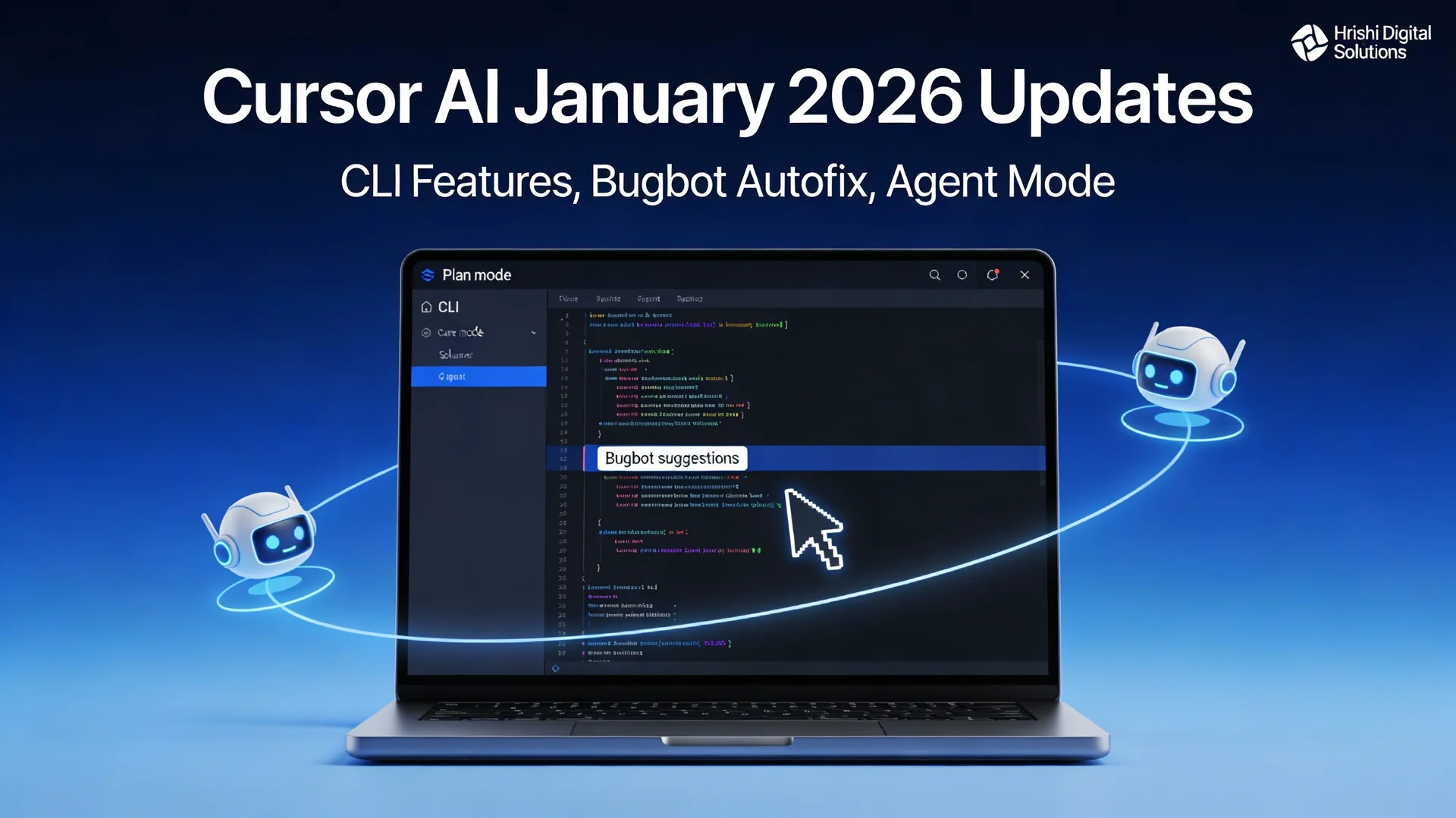
Cursor AI rolled out significant updates in January 2026 that change how developers work with AI coding assistants. The new CLI features, improved Bugbot autofix capabilities, and enhanced agent workflows address real pain points that development teams face daily.
What Changed in January 2026
Cursor AI released three major feature sets between January 8 and January 16, 2026. These updates focus on making AI assistance more flexible, accurate, and less intrusive to your existing workflow.
The CLI now works in ways that match how developers actually think about code. Instead of forcing you to jump into the full editor, you can explore, plan, and even hand off work to cloud agents right from your terminal. Meanwhile, Bugbot got smarter at finding and fixing real issues without crying wolf on false positives.
CLI Plan and Ask Modes (Released January 16)
The new CLI modes give you two distinct ways to interact with AI before writing any code.
Plan Mode
Plan mode helps you design your approach before implementation. When you run /plan or use --mode=plan in the CLI, Cursor asks clarifying questions about what you're trying to build. This helps you think through edge cases, data structures, and architectural decisions before committing to code.
Think of it as having a technical discussion with a colleague who helps you spot problems early. The AI explores your requirements, suggests approaches, and helps you choose the right path forward.
Ask Mode
Ask mode lets you explore your codebase without making changes. Use /ask or --mode=ask when you need to understand how something works, find where specific logic lives, or get context on unfamiliar code.
This is useful when you join a new project, review someone else's pull request, or debug complex interactions. You get answers without the risk of accidental edits cluttering your workspace.
Cloud Agent Handoff
Both modes support handoff to Cloud Agents using the & prefix. Start a conversation on your local machine, then push it to continue on your phone or web browser. This matters when you're commuting, in a meeting, or away from your development setup but still need to move work forward.
Bugbot Autofix Beta Improvements (Released January 15)
Bugbot is Cursor's automated code review agent that scans pull requests for bugs. The January 15 update introduced Autofix Beta, which dramatically improved how well it actually fixes problems.
Performance Jump
The autofix rate jumped from 52% to over 70% through three key changes. First, Cursor rebuilt Bugbot with an agentic architecture that lets it reason through problems in multiple passes, a pattern that's becoming standard across AI tools as covered in our guide to autonomous AI agents. Second, it runs parallel analysis passes and uses majority voting to reduce false fixes. Third, it got better at understanding context across your entire codebase, not just the changed files.
More Real Bugs, Fewer False Alarms
Bugbot now catches an average of 0.7 bugs per pull request, which is 2.5 times more than before. More importantly, it reduced false positives. This matters because false alarms waste review time and train developers to ignore warnings.
The improved accuracy comes from better pattern recognition and deeper code understanding. Bugbot learned to distinguish between genuine issues (like null reference bugs, race conditions, or security vulnerabilities) and stylistic preferences that don't affect functionality.
How It Works in Practice
When you open a pull request, Bugbot scans your changes and flags potential issues. For each bug it finds, you get a "Fix in Cursor" button that rewrites the problematic code automatically. You review the fix, accept or modify it, and commit.
Enterprise teams report this saves hours per week in code review cycles. Instead of back-and-forth comments explaining what needs to change, reviewers can focus on architecture and business logic while Bugbot handles the mechanical bugs.
Agent Mode Launch (Released January 10)
Agent Mode became available to 2 million users in mid-January. This autonomous feature handles multi-file edits and terminal commands without constant supervision.
What Agent Mode Does
Agent Mode works on tasks that span multiple files. Tell it what you want to build, and it edits relevant files, runs commands, checks results, and iterates until the task is complete. This works well for feature additions, refactoring, and fixing bugs that touch several parts of your codebase.
The key difference from other AI coding tools is how it handles context. Agent Mode maintains awareness of your full project structure, dependencies, and testing setup. It knows when to run tests after changes and how to interpret failures.
When to Use It
Agent Mode works best for well-defined tasks on isolated branches. Examples include adding a new API endpoint with tests, refactoring a module to use a different pattern, or updating dependencies across your project.
Early users report mixed results on complex tasks. Novice developers sometimes struggle when Agent Mode makes unexpected changes or goes down wrong paths. Experienced developers use it selectively for tedious multi-file work while keeping critical business logic changes manual. This dynamic reflects the broader shift in how AI is changing software engineering roles routine tasks get automated while complex judgment calls remain human.
The sweet spot is tasks that are time-consuming but straightforward. Let Agent Mode handle the repetitive parts while you focus on design decisions and complex problem solving.
CLI Management Commands (Released January 8)
Cursor added practical commands for managing your AI coding environment.
New Commands
Three new CLI commands simplify common tasks. /models lets you switch between AI models without leaving the terminal. /rules manages your coding rules and preferences. /mcp enable and /mcp disable control MCP (Model Context Protocol) servers that connect external tools to Cursor.
These commands matter because they reduce context switching. Instead of opening settings panels or configuration files, you adjust your environment inline while working.
Performance Fixes
The January 8 release also fixed performance issues with CLI hooks. These hooks run automatically when certain events occur (like file saves or git commits). The improvements reduced lag and made the CLI feel more responsive during normal development.
How Cursor Compares to Other AI Coding Tools
Cursor's January updates push it further ahead of competitors like GitHub Copilot in specific areas. For teams using Microsoft's ecosystem, Visual Studio 2026's AI-native features offer a different approach to AI-assisted development.
Multi-File Context
Cursor handles multi-file projects better than GitHub Copilot. When you ask Cursor to make changes, it understands relationships between files, imports, and dependencies. Copilot focuses more on single-file completion and struggles with tasks that require coordinating changes across modules.
This matters for real-world development where most features touch multiple files. Refactoring, adding new endpoints with tests, or updating data models all require cross-file awareness.
Agent Workflows
Cursor's multi-agent orchestration lets up to eight agents work in parallel on separate parts of your codebase. Each agent works in an isolated workspace, then results get merged. GitHub Copilot doesn't offer equivalent functionality.
This parallel approach speeds up large refactoring tasks and complex feature additions. Instead of processing files sequentially, Cursor distributes work and aggregates results.
Semantic Search
Cursor's semantic codebase search understands intent, not just keywords. Ask "where do we validate user emails" and it finds the relevant logic even if the function isn't named that way. This reduces the prompting needed to get useful answers though strong prompt engineering skills still help you get better results from any AI coding tool.
GitHub Copilot relies more on exact matches and surrounding context. You need to be near the relevant code or use precise terminology for best results.
What Makes These Updates Significant
The January 2026 releases represent a shift from file-based editing to workflow-based AI assistance.
Planning Before Coding
Plan mode addresses a common AI coding problem. Most tools jump straight to generating code, which leads to rewrites when requirements weren't clear. By forcing the planning step, Cursor helps you think through problems before committing to solutions.
This matches how experienced developers work. You sketch the approach, consider edge cases, then implement. AI that mirrors this process feels more like a collaborator than a code generator.
Better Bug Detection
The Bugbot improvements matter because automated code review only works if developers trust it. High false positive rates train people to ignore warnings. By improving accuracy to 70% fix rates and catching 2.5 times more real bugs, Bugbot becomes genuinely useful rather than noise.
For Australian development teams, this means faster delivery without sacrificing quality. Code review bottlenecks shrink when mechanical bugs get caught and fixed automatically.
Command Line Integration
CLI-first features acknowledge that many developers live in the terminal. GUI tools interrupt flow. By bringing AI assistance to the command line with Plan, Ask, and management commands, Cursor meets developers where they already work.
Common Questions About the New Features
Does Plan Mode Replace Design Documents?
No. Plan mode helps you think through implementation details, not overall system design. Use it for tactical decisions about data structures, error handling, and code organization. Strategic architecture decisions still need proper design documentation and team discussion.
Will Bugbot Work on Legacy Codebases?
Bugbot works on any codebase, but accuracy improves with better code structure. Clean codebases with clear separation of concerns get better results than tangled legacy code. That said, Bugbot often catches real bugs in legacy systems that human reviewers miss due to complexity.
How Much Does This Cost?
These features are included in Cursor's standard pricing plans. Bugbot requires a Team or Enterprise subscription. CLI features work on all paid plans. Heavy Bugbot usage can consume your token allocation quickly during large pull requests.
Can Small Teams Benefit?
Yes. Small teams often lack dedicated code reviewers. Bugbot helps maintain quality without hiring senior developers solely for review. CLI features save time across team sizes by reducing context switching.
What This Means for Australian Development Teams
Australian development teams working across time zones gain specific advantages from these updates.
Asynchronous Workflows
Cloud Agent handoff supports asynchronous work patterns. Start planning a feature in your Darwin office, hand off to the cloud agent, then review results later. This matches how distributed teams already operate but makes AI assistance portable.
Code Quality at Scale
For Northern Territory businesses growing their development capacity, Bugbot provides consistent quality checks without geographic constraints. Whether your team is in Darwin, Adelaide, or distributed globally, automated review maintains standards.
Faster Time to Market
The combination of better planning, automated fixes, and multi-file agents accelerates development cycles. Australian businesses competing globally need to ship faster without compromising quality. These tools help achieve both.
Getting Started with the New Features
If you're already using Cursor, the January updates rolled out automatically. Try these workflows to experience the improvements.
Try Plan Mode First
Next time you start a new feature, open the CLI and run /plan instead of immediately coding. Describe what you want to build and engage with the clarifying questions. Notice how this shapes your implementation approach.
Enable Bugbot on Your Next PR
If you have a Team subscription, enable Bugbot on your next pull request. Review what it catches and test the autofix suggestions. Compare the bugs it finds to what your team normally catches in review.
Use Ask Mode for Code Exploration
When you need to understand unfamiliar code, use /ask instead of grepping through files. Ask specific questions about control flow, data transformations, or integration points. See how semantic search compares to manual investigation.
What's Next for Cursor AI
Based on forum discussions and the release roadmap, expect continued improvements to agent reliability, better debugging tools, and expanded MCP integrations.
The groundwork laid in January 2026 positions Cursor as more than a code editor. It's evolving into an AI operating system for development workflows that handles planning, implementation, review, and deployment.
For development teams in Darwin and across Australia, staying current with these AI coding advances helps maintain competitive velocity. The teams that adopt and master these tools ship faster, maintain higher quality, and spend less time on mechanical coding tasks. For .NET teams specifically, tools like Claude Code Skills provide complementary AI assistance tailored to the Microsoft ecosystem.
Need Help Integrating AI Development Tools?
At Hrishi Digital Solutions, we help Australian businesses adopt modern development practices including AI-assisted coding workflows. Whether you're evaluating Cursor AI for your team, migrating legacy systems, or building new applications with modern tools, we provide expert guidance tailored to your context.
Book a free 30-minute consultation to discuss how AI development tools can accelerate your projects without compromising quality. We work with teams across Northern Territory and Australia to implement practical, effective development solutions.
Contact Hrishi Digital Solutions or email admin@hrishidigital.com.au to start the conversation.
Hrishi Digital Solutions
Expert digital solutions provider specializing in modern web development, cloud architecture, and digital transformation.
Contact Us →