Lead Generation for Australian Service Businesses: A Practical Website Guide
Many Australian service businesses get website visitors but very few enquiries. Learn how to turn a basic site into a simple, reliable lead-generation machine with our 60-minute website audit guide.
Many Australian service businesses already get website traffic but still live off word of mouth and referrals. The good news is you often do not need a full redesign or big ad budget to turn that same site into a steady lead machine.
In this guide we walk through simple, practical changes that tradies, professional services, and local SMEs can make in weeks, not months. We also show where Hrishi Digital fits in as a partner that can do this work quickly, using your existing site as the base.
Why Your Australian Service Website Isn't Generating Leads
For most local service businesses, the website problem is not "no visitors". It is "no clear path from visitor to enquiry".
Common signs this is happening:
- People say "I checked your website" but still call to ask basic questions.
- You see visits in analytics but very few contact form submissions or quote requests.
- Most work still comes from repeat clients and referrals, not from the web.
When we review Australian service sites, we see the same patterns again and again.
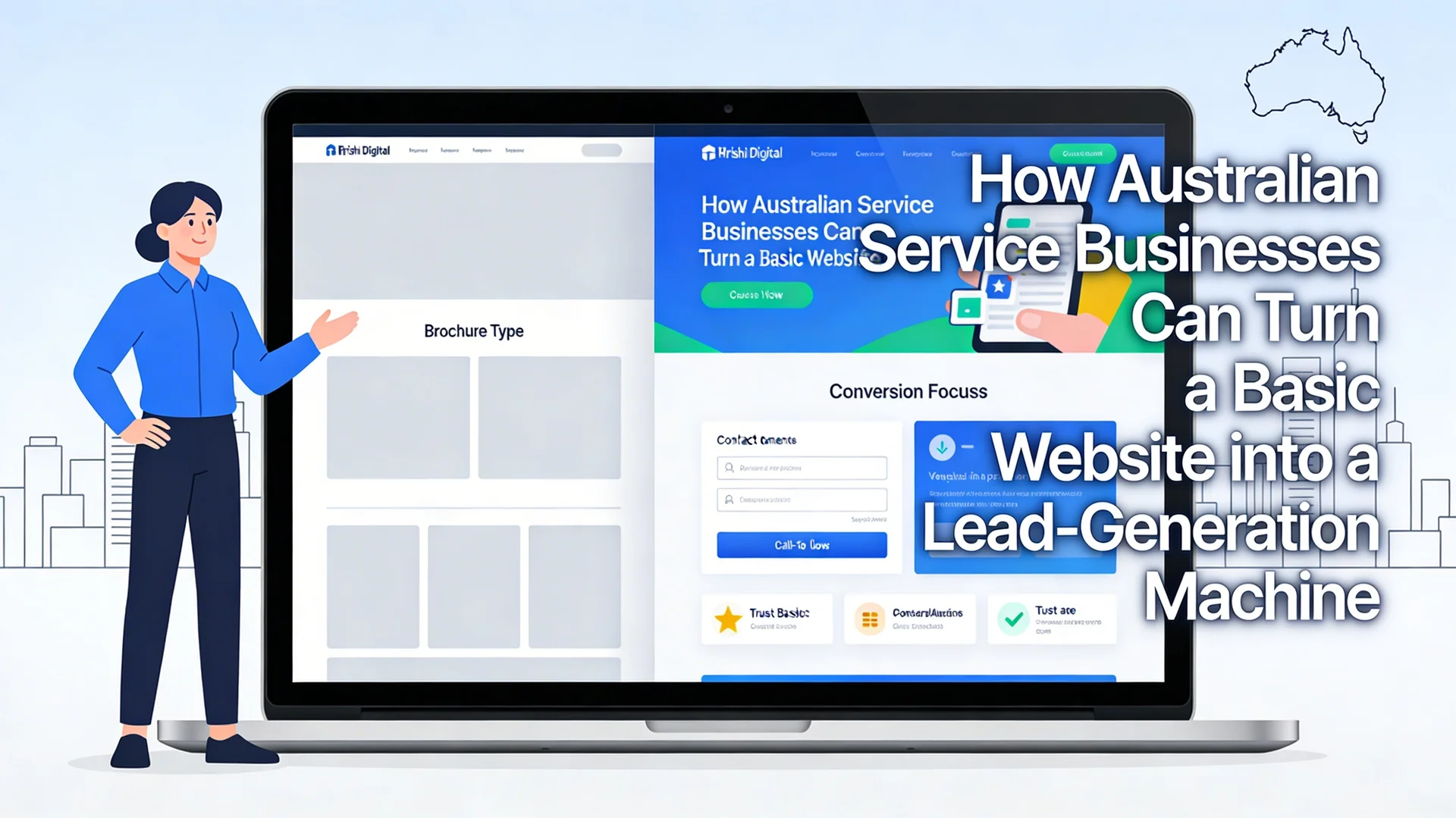
- The site looks like an online brochure, not a sales tool.
- There is no clear main offer or reason to act now.
- Calls to action are hidden in the footer or a crowded contact page.
- The mobile version is hard to read, slow, or both.
- Trust elements like reviews and logos are scattered or missing.
The result is simple. Visitors click around for a minute, do not feel confident, and go back to Google to find someone else.
Do a 60-minute quick-win website audit
Before you invest in new pages or campaigns, run a focused one-hour audit on your current site. This shows where your biggest conversion leaks are and what to fix first.
1. Above-the-fold check
Open your homepage on desktop and mobile. Without scrolling, ask three questions.
- Is it clear what you do and who you help in one short line?
- Is there one primary call to action like "Request a Quote" or "Book a Call"?
- Are there at least one or two trust signals visible, like star ratings or "20+ years in Darwin"?
If someone cannot answer "What do they do and how do I contact them?" in five seconds, your above-the-fold area is costing you leads.
2. Mobile layout and usability
Most local searches in Australia now happen on phones, especially for trades and urgent services.
Check these items on your phone:
- Text size: Can you read headings and key points without zooming?
- Tap targets: Are buttons big enough and spaced apart?
- Menu: Is it simple, with clear paths to "Services", "Pricing" or "Contact"?
- Sticky CTA: Is there a call or quote button that stays visible as you scroll?
If the mobile experience is painful, visitors will leave before they ever see your best content.
3. Page speed and performance
Slow sites hurt both user experience and search rankings. Google's Core Web Vitals, including the INP (Interaction to Next Paint) metric, now directly influence how your site ranks in Australian local searches.
At a basic level, check:
- Does the page load in a couple of seconds on a normal 4G connection?
- Are you using large, uncompressed images that slow down mobile users?
- Are there heavy scripts or popups blocking the main content?
4. Trust and proof elements
Trust is one of the biggest drivers of conversions for service businesses.
Look at your key pages and ask:
- Do you show recent reviews with names and suburbs where possible?
- Do you list logos of clients, industry bodies, or suppliers you work with?
- Is there a brief "About" section that makes you feel human and local?
The best practice is to place testimonials and trust signals close to your enquiry forms and key calls to action, not just on a separate "Testimonials" page.
For example, a Darwin-based electrical contractor we worked with added three Google reviews and a "locally owned since 2012" badge next to their quote form. Enquiry conversions improved within the first month without changing anything else on the page.
5. Basic on-page SEO
Even a simple, local site needs basic on-page SEO so that people can find you for the right services and locations.
Check for:
- Clear page titles like "Emergency Plumber in Darwin" instead of "Home".
- Headings that mention your service and area naturally.
- Unique meta descriptions that talk about the main problem and outcome.
- Location references in copy for suburbs or regions you serve.
Google Business Profile (GBP) and NAP consistency: Claim and fully optimise your Google Business Profile. Then check that your Name, Address, and Phone number (NAP) on your website exactly matches your GBP listing, same abbreviations, same format. This is the single most important factor for ranking in the Local Pack (the map results at the top of local searches). A mismatch as small as "St" versus "Street" can hurt your local visibility. You can find setup guidance in the Google Business Profile Help Centre.
This is enough to support organic search and make your paid traffic more efficient.
Conversion upgrades you can apply in weeks
Once you know where you are losing people, you can start upgrading your current pages instead of rebuilding everything. These changes focus on turning visitors into enquiries, not just making the site prettier.
1. Clear offers, not vague promises
Most brochure sites talk about what the business does, not what the client gets. A clear, specific offer increases response rates.
For example:
- "Free 30-minute roof inspection in Palmerston" is stronger than "Quality roofing services".
- "Same-day AC repair for Darwin offices" is stronger than "We service air conditioners".
Tie each main page to one key outcome and one key next step.
2. High-contrast calls to action
Your main buttons should stand out clearly from the rest of the design.
Practical tips:
- Use a strong colour that is not used elsewhere for the main CTA.
- Put the same CTA in your header, hero section, and near the bottom of the page.
- Use clear labels like "Call Now", "Get a Quote", or "Book an Appointment", not "Submit".
3. Click-to-call and easy contact
For many service businesses, phone calls are still the highest intent leads. Make calling as simple as possible, especially on mobile.
Add:
- Click-to-call buttons that use your main phone number.
- A sticky call bar on mobile with "Call now" and "Get quote".
- Clear office hours near your phone number so people know when to expect a response.
You can also add quick contact methods like WhatsApp, Facebook Messenger, or SMS for some audiences, but keep the options focused rather than overwhelming.
4. Simple booking and contact forms
Forms should feel quick and safe to complete.
Good practice for service businesses:
- Ask only for fields you actually need to respond properly.
- Use one or two short optional fields for context like "Suburb" or "Preferred time".
- Place a short privacy note or reassurance near the submit button.
You can test shorter forms on top of your main service pages and use longer forms on dedicated "Request a quote" pages when more detail is needed.
Lead-generation enhancers that feed your CRM
Once your core pages convert better, you can add simple lead-generation assets that build a pipeline of warm, permission-based contacts. This means you get leads even when visitors are not ready to book today.
1. Checklists and simple guides
Practical checklists work very well for local service businesses because they help people feel in control.
Examples:
- "Pre-sale plumbing inspection checklist for Darwin homeowners".
- "Office IT security basics checklist for NT small businesses".
- "New pool maintenance checklist for the Top End wet and dry seasons".
You can offer these as:
- Direct downloads with an email field.
- "No opt-in" resources on the site but with call-to-action blocks inviting people to book a review if they tick certain boxes.
2. Calculators and estimators
Simple calculators help visitors estimate cost, time, or scope, which builds trust and filters out poor-fit leads.
For example:
- Rough cost range estimators based on job type and property size.
- "How much power could you save with solar" style calculators.
- "Website upgrade readiness" check tools for professional services.
You do not need perfect numbers. You just need a helpful starting point and a clean handover into a conversation.
3. Free 30-minute consult or review
For higher-value services, a free short consult is often the best lead magnet. It lets people talk through their situation and lets you qualify them.
A few tips:
- Give the session a clear name, like "Lead-Gen Website Review", "IT Risk Check", or "Marketing Fix Session".
- Show what you will cover in three bullet points so it feels structured, not like a sales call.
- Make booking easy through a simple form or calendar tool, and confirm by email or SMS.
All these assets should feed into your CRM or at least a clean lead list so your team can follow up in a consistent way. If you want to automate the follow-up process, for example, sending a confirmation email or creating a follow-up task when someone submits a form - our AI and automation services can set this up without heavy development work. For businesses evaluating which automation platform to use, our comparison of n8n vs Make vs Zapier for enterprise automation covers the right choice for different business sizes and budgets.
Example: from brochure to lead machine
Here is a simple before and after scenario for a Darwin-based trade business.
| Area | Before: brochure site | After: lead-generation site |
|---|---|---|
| Above the fold | Big stock image, "Welcome to XYZ Plumbing" text | Clear headline "Emergency Plumber in Darwin within 2 hours" and CTA "Call now" |
| Mobile view | Tiny text, small menu, no visible phone button | Large, readable text, sticky "Call now" and "Request quote" buttons |
| Trust signals | Reviews on separate page only | 5-star rating and "200+ Darwin jobs completed" near main CTA |
| Forms | Long general contact form with many fields | Short "Request a quote" form on key service pages |
| Lead magnets | None | "Pre-purchase plumbing inspection checklist" download with email |
| Follow-up | Inbox only, no tracking | Leads captured into CRM with simple follow-up task rules |
Upgrades like these can often be done on the existing platform with focused design and copy edits. For businesses running older CMS platforms or outdated systems, our legacy system modernisation services can unlock these improvements without a full rebuild.
Our Technology Portfolio Review often starts with these lead-gen fundamentals before moving into deeper automation or platform decisions, a practical way to find your biggest gains before committing to larger investment.
Stop Guessing. Get Your Lead-Gen Roadmap.
Is your website a silent brochure or a 24/7 salesperson? Don't leave your growth to chance.
Book a 30-Minute Lead-Gen Website Review with Hrishi Digital today. We'll identify your top 3 "conversion leaks" and give you a clear plan to fix them, using your existing site as the starting point, not a blank sheet.
What we cover in the session:
- Above-the-fold audit: what visitors see first and whether it drives action
- Mobile and speed check: friction points that cost you enquiries daily
- Trust and CTA review: quick wins you can implement this week
Hrishi Digital Solutions
Expert digital solutions provider helping Australian SMEs turn simple websites into reliable lead-generation assets.
Contact Us →