ASP.NET Framework to ASP.NET Core Migration: Your 2026 Roadmap
Migrate legacy .NET Framework to ASP.NET Core with proven strategies. .NET 10 delivers performance gains, passkey security, and AI/ML capabilities essential for 2026 competitive advantage. Learn the phased roadmap with compatibility solutions.
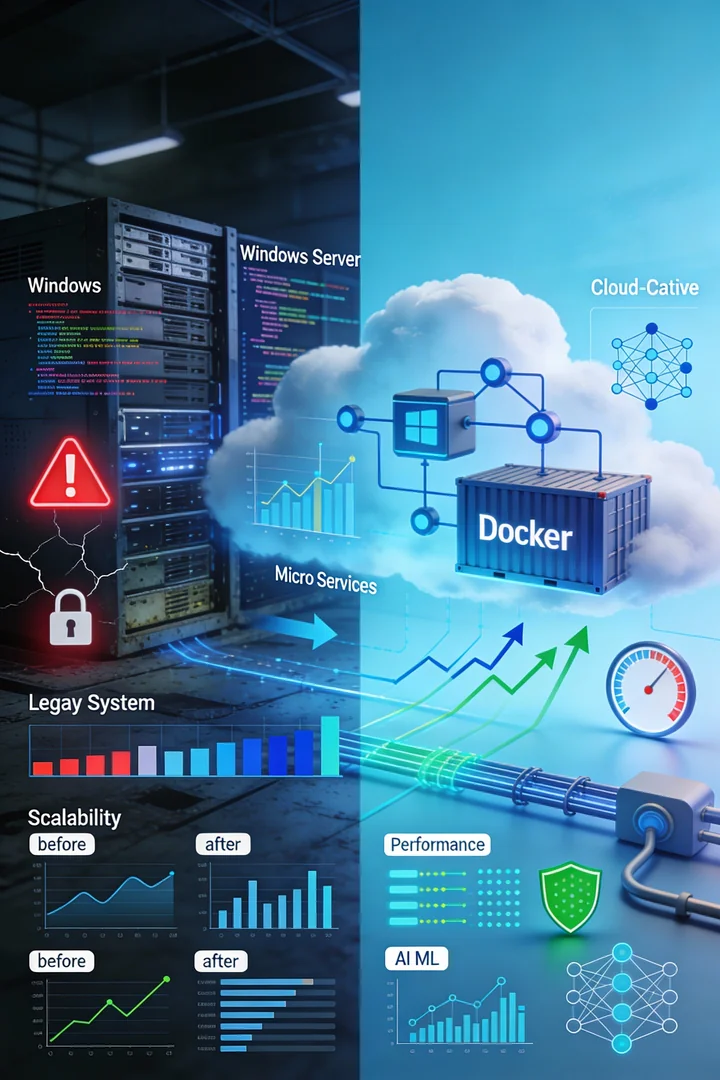
The clock is ticking for organizations still running on .NET Framework. What once felt like the standard enterprise platform is now a growing security and compliance liability. With legacy versions frozen in time, applications are accumulating technical debt while competitors gain speed and security through modern cloud-native architectures.
The November 2025 release of .NET 10 as a long-term support (LTS) platform changes the equation entirely. It delivers:
- 20-40% performance improvements via JIT optimizations
- Native AOT compilation for microsecond cold starts
- Hardened security with native Passkey authentication
- Seamless AI/ML integration critical for 2026 competitive advantage
For enterprise decision-makers, the question is no longer whether to migrate, but how to migrate strategically without disrupting operations or blowing timelines and budgets.
Why Legacy .NET Framework Is No Longer Sustainable
The migration urgency is concrete. .NET Framework 4.8 is the final release, and while Microsoft continues to patch critical security vulnerabilities, the framework itself has received no innovation since 2019.
This creates three immediate business problems. Understanding why legacy .NET systems cost $100K+ annually helps quantify the urgency:
1. Security and Compliance Exposure
Unsupported versions no longer receive security patches. Your applications are running with known vulnerabilities that modern threat actors actively exploit.
For organizations in regulated industries like finance, healthcare, or government, this is a compliance disaster. Auditors flag outdated components as high-risk vulnerabilities. The cost of a potential data breach far exceeds any modernization investment. Regulatory bodies are already mandating migration off unsupported frameworks to maintain compliance status.
2. Performance and Cost Inefficiency
Legacy applications require dedicated Windows Server infrastructure, expensive licensing, and manual scaling.
Organizations migrating to ASP.NET Core report:
- CPU utilization reduced by 50%
- Virtual machine counts down by 60-70%
- Infrastructure costs slashed by 60-70% in containerized environments
These aren't hypothetical benefits. They're operational savings that directly improve your bottom line.
3. The Innovation Gap
The ecosystem has moved on. Modern libraries for AI, Machine Learning, and Microservices are designed exclusively for .NET 5+. Your team becomes increasingly isolated from industry best practices. Our complete guide to .NET 10 features and performance improvements shows what you're missing. Third-party vendors are ending support for .NET Framework, forcing legacy applications into an ever-shrinking ecosystem.
Common Pitfalls to Avoid
Organizations often stumble during migration for predictable reasons. Understanding these mistakes helps you avoid them.
1. Ignoring Windows Dependencies
Legacy .NET Framework applications are frequently tightly coupled with Windows components like Windows Services, IIS integration, the Windows Registry, and COM interop. Teams that skip detailed dependency extraction early end up discovering these issues mid-project, creating delays and rework.
2. Attempting Full Rewrite Without Assessment
The biggest mistake is treating legacy applications as disposable and starting from scratch in ASP.NET Core. This approach explodes timelines, introduces new bugs, and loses institutional knowledge.
3. Skipping Containerization
Moving code to .NET Core without containerization leaves 60-70% cost savings on the table. Containerization with Docker and Kubernetes enables cloud-native deployment and automatic scaling.
4. Underestimating Entity Framework Core Changes
Entity Framework Core has significant improvements that also come with breaking changes. LINQ query translation behavior has evolved, lazy loading patterns have shifted, and navigation property initialization rules have changed.
5. Underestimating Third-Party Library Compatibility
Not all .NET Framework libraries have direct equivalents in .NET Core. A comprehensive dependency audit during planning prevents last-minute surprises.
The Four-Phase ASP.NET Core Migration Framework
Successful migrations follow a structured approach. This framework reduces risk while maintaining business continuity.
| Phase | Focus | Key Activities |
|---|---|---|
| Phase 1 | Assessment | Code inventory, dependency audit, ROI projection |
| Phase 2 | Pilot | Migrate one non-critical service using YARP (Reverse Proxy) |
| Phase 3 | Cloud-Native | Containerization with Docker/Kubernetes and Native AOT |
| Phase 4 | Modernization | Integrate AI/ML agents and Passkey authentication |
Phase 1: Comprehensive Assessment and Planning (Weeks 1-3)
The foundation of every successful migration is thorough understanding of your current state.
Conduct a detailed code inventory that identifies all .NET Framework dependencies, third-party libraries, Windows-specific integrations, and database connections. Document which components are business-critical, which are stable, and which are fragile.
Assess Windows dependencies systematically. Create a detailed map of Windows Services, IIS-specific configurations, Registry usage, COM interop, file system permissions, and other platform-specific features.
Audit third-party dependencies early. Contact library vendors to confirm .NET Core support, check GitHub and NuGet for community-maintained alternatives. This phase often reveals that 80-90% of dependencies already have modern alternatives.
Define success metrics before starting technical work. Measure baseline performance, set targets for post-migration performance, infrastructure costs, security improvements, and deployment frequency.
Phase 2: Incremental Pilot Migration (Weeks 4-8)
Don't attempt to migrate your entire application at once. Start with a non-critical component or greenfield service to validate your approach.
Use the incremental migration pattern: Deploy an ASP.NET Core reverse proxy (YARP) in front of your legacy .NET Framework application. This proxy routes specific endpoints to the new .NET Core implementation while falling back to the legacy application for unimplemented features.
This approach allows you to migrate incrementally, one feature or service at a time, without requiring simultaneous cutover of the entire application.
Test compatibility thoroughly. Run your legacy application and the migrated version in parallel, comparing outputs for critical workflows. Load testing confirms that the new implementation performs as expected under production traffic.
Document everything. Every breaking change encountered becomes reference material for subsequent migrations.
Phase 3: Containerization and Cloud-Native Optimization (Weeks 9-12)
Once ASP.NET Core is running, containerization unlocks the financial and operational benefits that justify the migration investment.
Create Docker images for your ASP.NET Core applications. Use multi-stage Docker builds to keep container images small.
If your application qualifies, consider Native AOT compilation. This produces self-contained executables that start in milliseconds and reduce memory footprint by 50-70%, dramatically reducing infrastructure costs in Kubernetes or serverless environments.
Configure container orchestration. Whether you're using Kubernetes, Docker Compose, or managed services like Azure Container Instances, ensure your deployment pipeline treats infrastructure as code.
Optimize for cloud deployment patterns. Move from monolithic applications toward microservices where appropriate. Use managed databases, cloud-native messaging, and cloud-native caching instead of self-hosted infrastructure.
Phase 4: Security Hardening and AI/ML Integration (Weeks 13+)
With the application modernized and containerized, invest in capabilities that deliver competitive advantage.
Implement Passkey authentication in ASP.NET Core 10. Passkeys (FIDO2-compliant authentication) eliminate password management complexity while providing enterprise-grade security. See our Blazor .NET 10 guide for implementation details.
Integrate AI and machine learning capabilities. Entity Framework Core 10 includes vector search support, enabling semantic search powered by AI models. Semantic Kernel libraries integrate with large language models for natural language processing. Learn more about vector databases and semantic search for advanced AI integration patterns.
AI and Machine Learning: The 2026 Competitive Edge
By 2026, 40% of enterprise applications will feature embedded AI agents.
Organizations that wait to explore AI integration will find themselves at a disadvantage. .NET 10 and ASP.NET Core are remarkably well-positioned for AI/ML integration because:
- EF Core 10 includes vector search support for semantic capabilities
- Semantic Kernel allows seamless LLM integration with GPT-4 and alternatives
- High-speed processing via Native AOT makes real-time AI reasoning cost-effective
Organizations embedding AI into their core applications are gaining measurable competitive advantages in customer experience, operational efficiency, and decision-making speed.
Realistic Timelines for Planning
How long does ASP.NET Core migration actually take?
- Small applications (100-200 KB codebase): 4-8 weeks with a single developer or pair
- Medium enterprise applications (1-5 MB codebase): 2-4 months with a team of 2-3 developers
- Large, complex applications (10+ MB codebase): 3-6 months with a dedicated migration team
- Monolithic applications requiring decomposition: 6-12 months (incremental pattern keeps timelines predictable)
Pro Tip: Use the .NET Upgrade Assistant. This Microsoft-provided tool automates routine migration tasks and applies known refactoring patterns. It doesn't replace human expertise, but it eliminates tedious manual work.
Is Your Organization Ready?
Ask yourself these questions to assess readiness:
Are you experiencing security or compliance pressure?
If auditors are flagging outdated components, migration urgency is high. The compliance case alone justifies the investment.
Do performance or infrastructure costs concern you?
If your application infrastructure is expensive or performance is a customer complaint, the financial justification is strong. A 2-3 month migration project often pays for itself in 6 months of reduced infrastructure costs.
Are you planning significant new functionality or architectural changes?
If you're already committed to development effort, building on modern .NET reduces long-term maintenance costs.
Do you need AI/ML capabilities?
If your competitive strategy depends on machine learning, real-time personalization, or intelligent automation, modern .NET platforms are increasingly the natural choice.
Best Practices for Successful Migration
Lessons from dozens of successful migrations at enterprise scale:
- Start with assessment, not coding. A two-week assessment prevents months of wrong-direction effort.
- Plan for breaking changes. Set aside 20-30% of migration effort for compatibility issues. This realistic planning prevents surprises.
- Use feature flags. During migration, support both old and new implementations. This allows complete validation before switching, with rapid rollback capability.
- Test rigorously before production cutover. Run parallel testing with production traffic if possible. Load test under realistic conditions.
- Document everything. Every breaking change and workaround becomes institutional knowledge for future migrations.
- Plan ongoing maintenance and optimization. Migration day is the beginning, not the end.
Getting Started: Your 2026 Migration Roadmap
The path forward is clear but requires decisive action.
This month: Assess your legacy .NET Framework applications. Identify which ones pose the highest security, compliance, or business risk. Create an inventory of dependencies, Windows-specific integrations, and third-party libraries.
Next quarter: Launch a pilot migration of a non-critical application or service. Validate your assessment findings and reduce risk for subsequent migrations.
2026: Execute full migrations of production systems according to business priority.
Key Takeaways
.NET Framework support is frozen. Only critical security patches are available; no innovation is happening. Migration is inevitable for long-term viability.
.NET 10 delivers game-changing capabilities. Performance improvements of 20-40%, passkey authentication, Native AOT compilation, and seamless AI/ML integration justify migration investment.
Structured migration reduces risk. A four-phase framework transforms migration from a chaotic rewrite into a predictable, low-risk program.
Containerization unlocks financial benefits. Docker and Kubernetes enable 60-70% infrastructure cost reduction while improving operational resilience.
AI/ML integration is now table stakes. .NET 10 and ASP.NET Core are excellent platforms for real-time AI integration. Organizations embedding AI gain competitive advantage in 2026.
Realistic planning prevents failure. Small applications migrate in 4-8 weeks. Medium applications take 2-4 months. Large applications require 3-6 months.
Ready to Transform Your Legacy Systems?
Hrishi Digital Solutions specializes in enterprise .NET modernization and legacy transformation. Based in Australia and serving the NT, we understand the specific regulatory requirements of the finance and government sectors.
We combine 15+ years of Microsoft technology expertise with cloud-native architecture practices. Our team has guided dozens of organizations through .NET Framework to .NET Core migrations, delivering not just technical transformation but measurable business outcomes: reduced infrastructure costs, improved security posture, faster time-to-market, and access to modern AI capabilities. Explore our legacy system modernization services to learn more.
Book a Free 30-Minute Strategy Consultation
Let's review your legacy systems and build your 2026 roadmap together.
Hrishi Digital Solutions
Enterprise software development specialists combining 15+ years of Microsoft technology expertise with cloud-native architecture to transform legacy systems into modern, scalable solutions.
Contact Us →